> For the complete documentation index, see [llms.txt](https://wiki.tribute.top/llms.txt). Markdown versions of documentation pages are available by appending `.md` to page URLs; this page is available as [Markdown](https://wiki.tribute.top/for-content-creators/creators-page.md).

# Creator’s Page

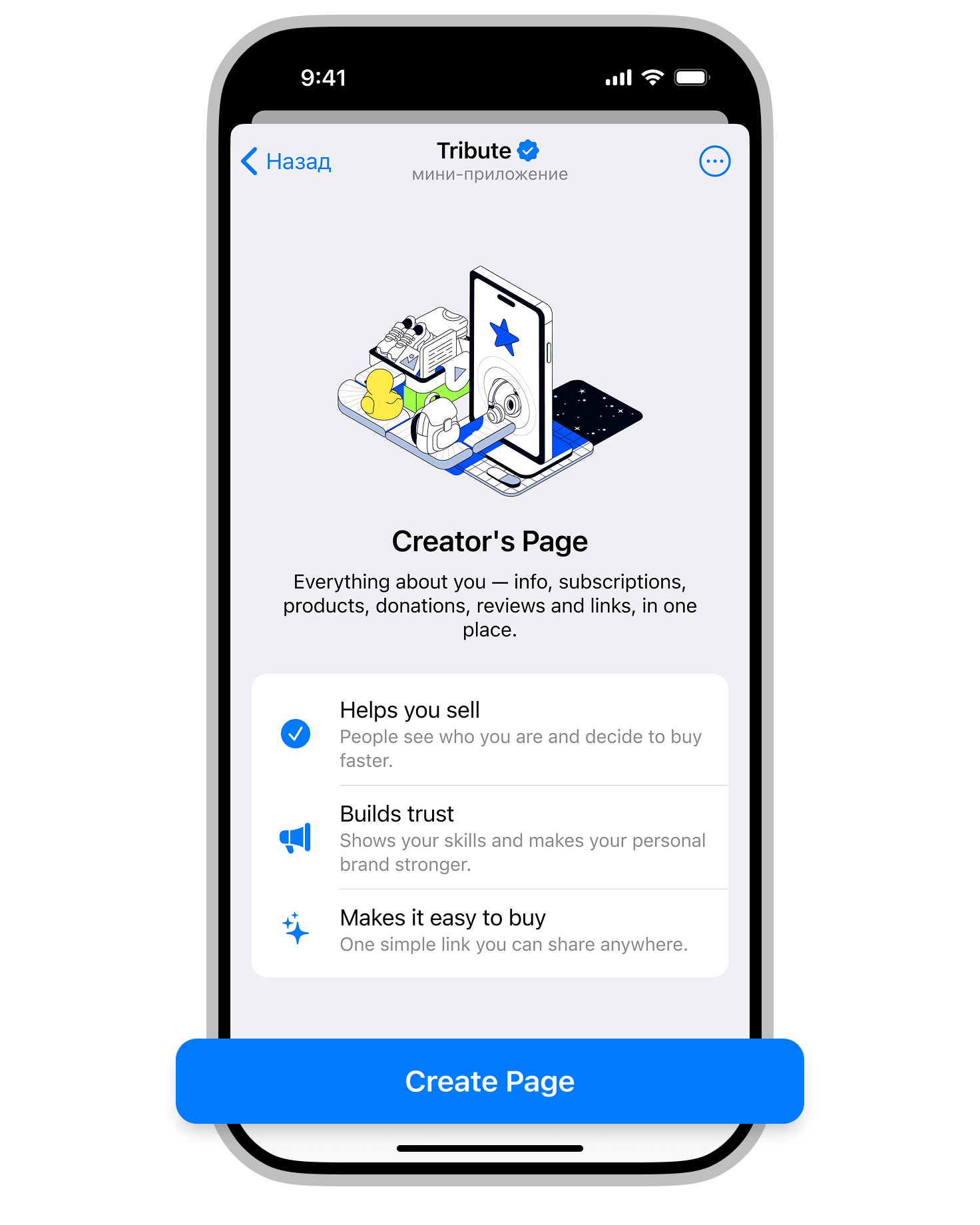
We’ve added the ability to add your Creator’s Page.

With this new feature, all key information is gathered in one place: the creator’s photo or video and bio, subscriptions, products, donations, social media links, and reviews. Everything is neatly organized and easy for your subscribers to use.

#### Why is this useful?

* To simplify sales
* To increase visibility
* To give your audience an easy way to support you

#### How to add Creator’s Page

1. Open the Creator’s Page section.

<figure><img src="https://3788573142-files.gitbook.io/~/files/v0/b/gitbook-x-prod.appspot.com/o/spaces%2F6EICcSNhn5UwhQp1lbwx%2Fuploads%2F9vkjih6Qbi5ZYTl4P9es%2Feng_wiki_1authpageupd.jpg?alt=media&amp;token=19d87a58-e387-4237-b38c-e50593f5e2c8" alt="" width="375"><figcaption></figcaption></figure>

2. Click Create Page.

<figure><img src="https://3788573142-files.gitbook.io/~/files/v0/b/gitbook-x-prod.appspot.com/o/spaces%2F6EICcSNhn5UwhQp1lbwx%2Fuploads%2F6VfH9KrbQBmjMpO71BzF%2Feng_wiki_2.jpg?alt=media&amp;token=4b61eb15-8ca3-4783-b41b-491a01dcc03e" alt="" width="375"><figcaption></figcaption></figure>

3. Fill in the required sections and click Preview.

<figure><img src="https://3788573142-files.gitbook.io/~/files/v0/b/gitbook-x-prod.appspot.com/o/spaces%2F6EICcSNhn5UwhQp1lbwx%2Fuploads%2FNYqRlgRKS8GYm4Mevuzc%2Feng_wiki_3.jpg?alt=media&amp;token=da286f3b-9cda-406b-af9c-1f19e5a33c68" alt="" width="375"><figcaption></figcaption></figure>

4. Like what you see? Click Save.

<figure><img src="https://3788573142-files.gitbook.io/~/files/v0/b/gitbook-x-prod.appspot.com/o/spaces%2F6EICcSNhn5UwhQp1lbwx%2Fuploads%2Fr2UlPACDmEegxiE7U5L1%2Feng_wiki_4.jpg?alt=media&amp;token=7a131b2b-f49c-426a-a9e3-393ce97e6a46" alt="" width="375"><figcaption></figcaption></figure>

5. It’s time to share your page!

* Click the “Share” button to quickly publish it to your Telegram channel
* or go to “Links” and copy the Telegram link or web link to share it on any platform.

<figure><img src="https://3788573142-files.gitbook.io/~/files/v0/b/gitbook-x-prod.appspot.com/o/spaces%2F6EICcSNhn5UwhQp1lbwx%2Fuploads%2FoEEMziR2AUTCjumjekno%2Feng_wiki_5.jpg?alt=media&amp;token=7ce0254f-b7ba-45f8-ae31-065dd0b44d7a" alt="" width="375"><figcaption></figcaption></figure>

Creator’s page can be edited at any time after publication.

<br>